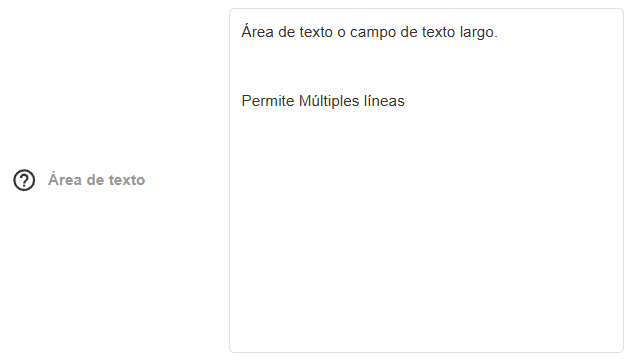
The Text Area Field
The Text Area field allows the entry of multi-line text. It is designed to capture large blocks of information such as descriptions, summaries, notes, or observations.
Field Structure
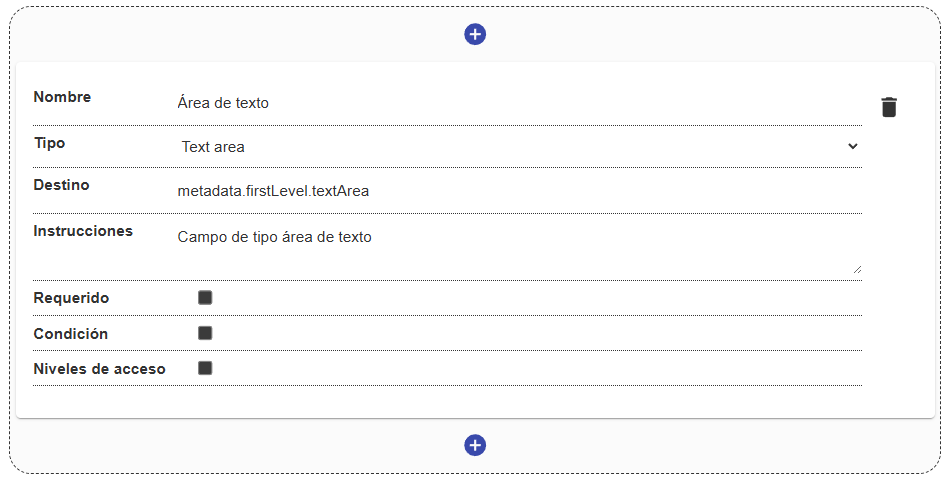
Section titled “Field Structure”Configuring a text area field includes the following basic properties:
Name:
- Description: The label that identifies the field within the form.
- Example:
"General description","Conservation notes".
Destination:
- Description: The path in the metadata where the entered content will be stored.
- Example:
metadata.firstLevel.description.
Instructions:
- Description: Optional help text that guides the user on what information to detail in the text area. Shown via a help icon.
- Example: “Provide a detailed summary of the document’s physical condition.”
Required:
- Description: Defines whether filling in this block of text is mandatory to save the record.
Condition (Optional):
- Description: Allows the text area to be shown or hidden depending on previous answers in the form.
Access levels (Optional):
- Description: Allows limiting which users can interact with or view this specific field.
Behavior in the interface
Section titled “Behavior in the interface”- Automatic expansion: The text area generally has an initial size (for example, 3 lines) and can automatically expand as the user types, up to a maximum number of lines predefined in the view, after which it will show a scrollbar.
- Format: This field stores plain text along with the line breaks entered by the user.