Running AI Models Locally with Ollama
Running AI Models Locally with Ollama
Section titled “Running AI Models Locally with Ollama”Ollama is a tool that allows you to run large language models (LLMs) locally on your machine. This is especially useful for those who want to maintain data privacy or reduce dependence on cloud services. Below is detailed how to integrate Ollama with ArchiHUB to leverage AI models locally.
Prerequisites
Section titled “Prerequisites”ArchiHUB’s docker-compose.yml ships the Ollama service commented out. To enable it, uncomment the archihub_ollama block:
archihub_ollama: image: ollama/ollama:latest restart: unless-stopped volumes: - ../../ollama:/root/.ollama environment: CUDA_VISIBLE_DEVICES: 0 # Remove if not using a GPU networks: - archihub_mongo_network - archihub_elastic_network command: serve # Remove the deploy section if not using a GPU deploy: resources: reservations: devices: - driver: nvidia count: 1 capabilities: [gpu]Models are stored in the ollama folder at the root of the repository. If the machine has no NVIDIA GPU, remove the CUDA_VISIBLE_DEVICES variable and the deploy section. Then start the service with docker compose up -d.
The service publishes no port: the backend reaches it over Docker’s internal network by the name archihub_ollama, so no environment variables are needed.
Installing models in Ollama
Section titled “Installing models in Ollama”Once Ollama is running, you can install AI models using the ollama pull command. For example, to install the llama2 model, run the following command in the terminal:
docker compose exec archihub_ollama ollama pull llama2 # Replace "llama2" with the name of the model you want to install.Creating the assistant in ArchiHUB
Section titled “Creating the assistant in ArchiHUB”After installing the models in Ollama, ArchiHUB will be able to use them for various artificial intelligence tasks. To do this, create a new assistant in ArchiHUB’s AI Assistants menu with these values:
- Protocol:
ollama. - Base URL:
http://archihub_ollama:11434. - Default model: one of the models you installed, for example
llama2.
Ollama needs no access key. Model details, such as its context window, are read from Ollama itself.
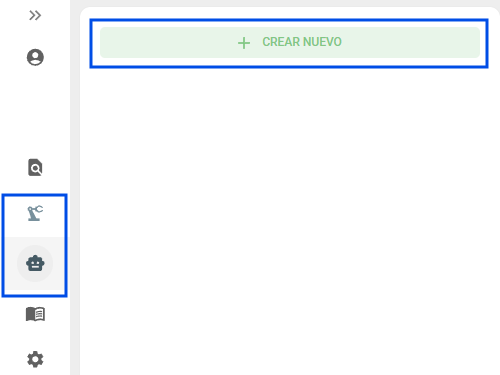
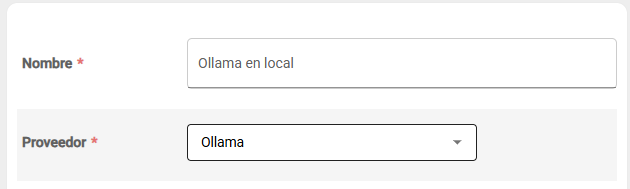
With these steps, you will have successfully configured Ollama to run AI models locally in ArchiHUB. You can now leverage artificial intelligence capabilities without relying on external services.
Using models in ArchiHUB
Section titled “Using models in ArchiHUB”Once the Ollama assistant is configured in ArchiHUB, you can use the installed models for various tasks, such as text generation, document analysis, among others. Below is a list of resources that the assistant can use:
- Documents uploaded to ArchiHUB.
- Images uploaded to ArchiHUB (if the model supports it).
- Audio to text transcriptions.
- Additional information provided by the user.
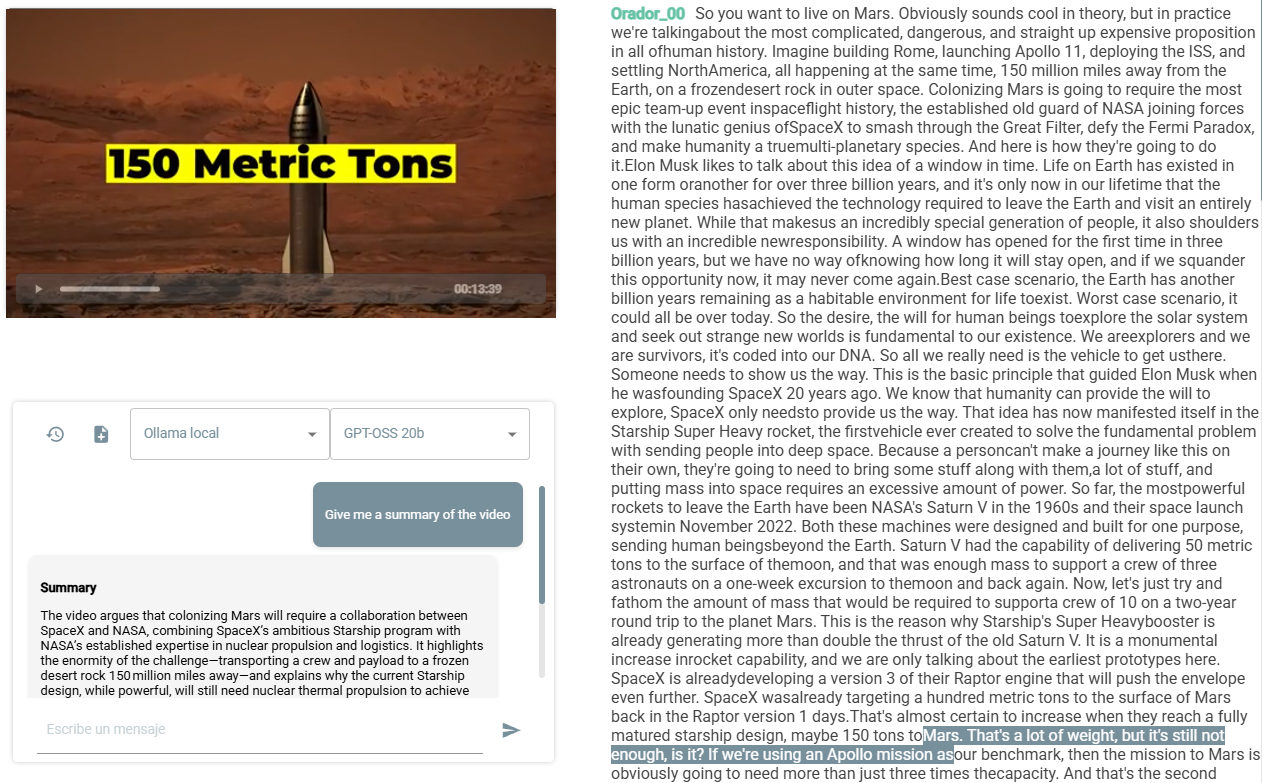
For example, if you have a video that was transcribed using the transcription plugin, the assistant will be able to analyze the resulting text to answer questions or generate summaries based on the video content:
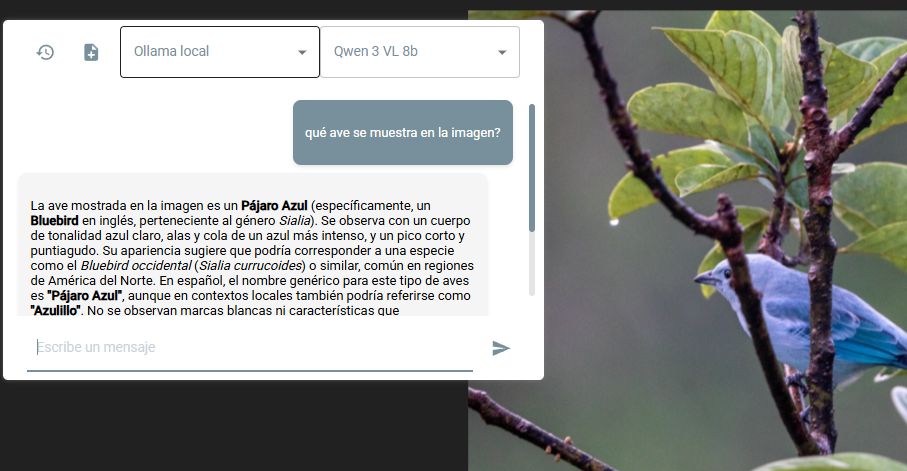
Or if you want to identify a bird from an image uploaded to ArchiHUB, the assistant can help you identify it using an Ollama model that supports image analysis: