
The Number Field
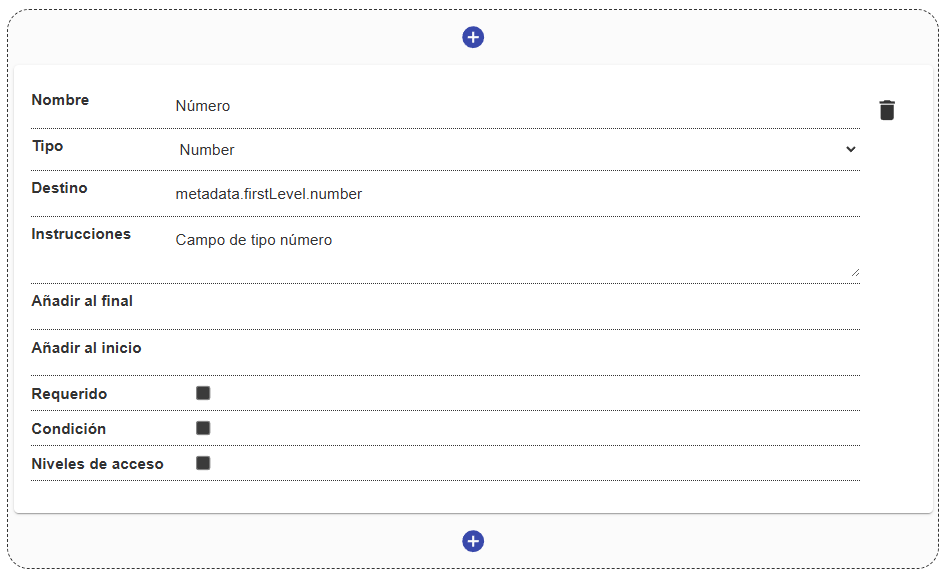
The Number field restricts data entry exclusively to numeric values, ensuring that the captured information can be processed or validated mathematically.
Field Structure
Section titled “Field Structure”Configuring the number field includes native validation properties:
Name:
- Description: The label visible to the user.
- Example:
"Quantity","Year of publication".
Destination:
- Description: The key in the metadata where the numeric value will be stored.
- Example:
metadata.firstLevel.page_count.
Instructions:
- Description: Help text to clarify what numeric format is expected.
Required:
- Description: Defines whether entering a number is mandatory.
Condition and Access levels:
- Description: Standard properties to control the field’s dynamic visibility and permissions.
Behavior in the interface
Section titled “Behavior in the interface”- On the frontend, the field usually shows increment/decrement controls (arrows) and prevents typing alphabetic characters.
- The stored value will strictly be of numeric type (
Number) in the database, which facilitates search, sorting, and aggregation operations in the system.
